
Greyscale Mode
Turning your phone to greyscale helps make it less attractive to our brains
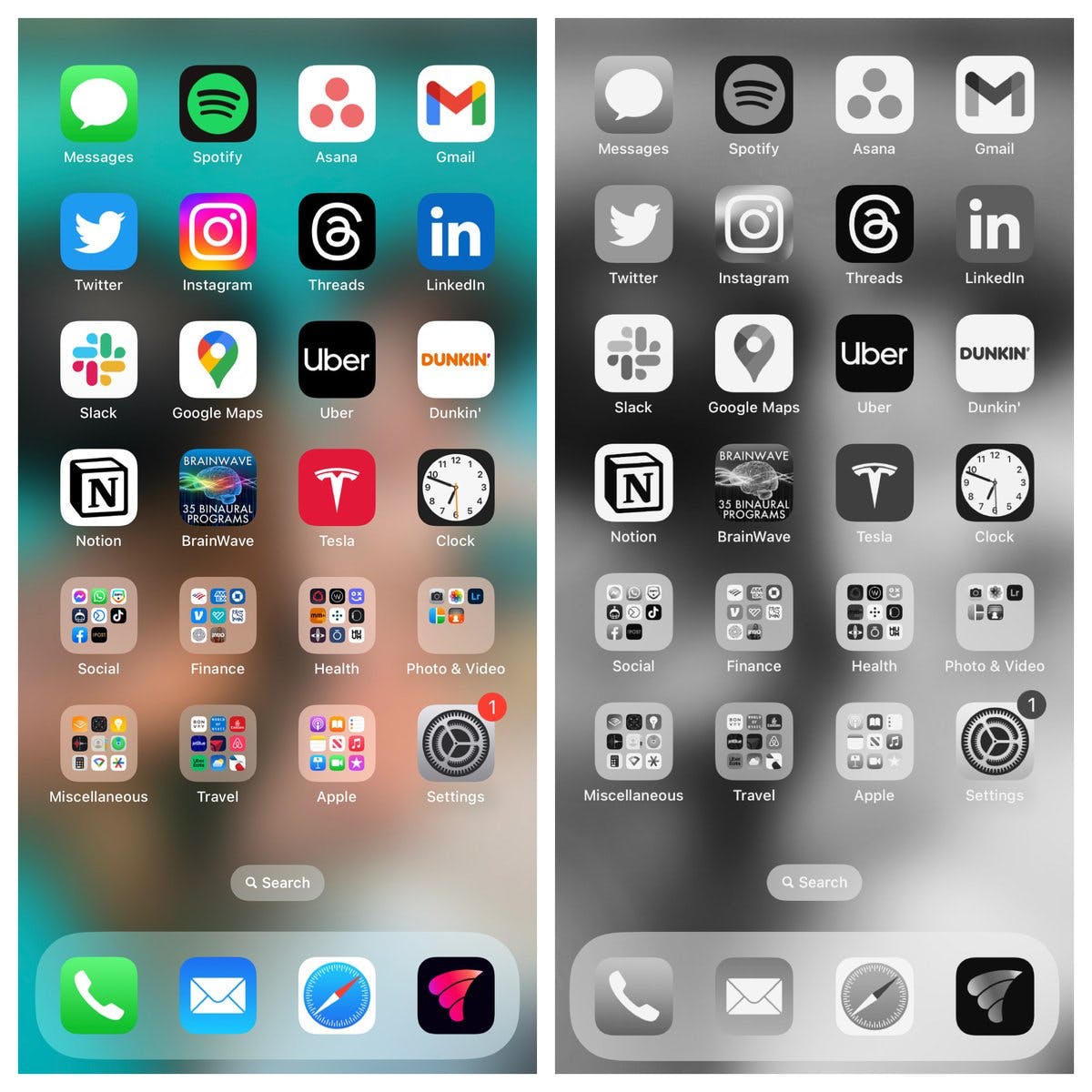
Phones are designed to draw our attention. Making them greyscale helps reduce this ability to distract us and draw our attention.
For an iPhone:
For an iPhone:
- Settings
- Accessibility
- Display & Text Size
- Color Filters -> On
- Grayscale
If you want to be able to toggle it on and off easily, you can create a simple shortcut:
- Settings
- Accessibility
- Accessibility Shortcut
- Color Filters
- If you triple-click the side button, you'll be able to toggle Grayscale on and off.
For non-iPhone users:
Grayscale Mode on Google Pixel:
- Settings
- Accessibility
- Color & Motion
- Color Correction
- Grayscale
Grayscale Mode on Samsung Galaxy:
- Settings
- Accessibility
- Visibility Enhancements
- Color Correction
- Grayscale
(Source of image/instructions: Sahil Bloom newsletter, see link)
Available from
Each link opens in a new tab
What they say
Sahil Bloom (see link for newsletter): "Since starting to use Grayscale Mode in January, I've seen my screen time drop and my focus rise. A side benefit for parents: Your phone is immediately less interesting and addicting for your kids. I was shocked by how my son was naturally drawn to our screens from just a few months old. When I turn on Grayscale Mode, he loses interest. Try it for a day. It's a massive life hack."
Why you love it
-
"Turning my phone to greyscale helps me resist tech, and supports connecting with my family, and role modelling to my children"
~ Georgia
More to explore
Some other resources similar to Greyscale mode





Haven't found what you're looking for?
This is intended to be a place where busy healthcare professionals can come to find resources to support their fulfilment, productivity, health and performance.
Is there anything missing that you’re looking for? Or anything that has been useful for you that you would like to share? Any niche requests for recommendations? I would love to hear from you.